Tools · Keep the context
Video Evidence Engine
Why we made itWe wanted our agents to understand what a video teaches, not just what it says.
Turns long videos into evidence an agent can search: what was said, when, and what was on screen at that moment.
Give an agent the moment, not just the words
Transcripts helped us recover what a creator said. But when someone says “look here” or “move this over there,” the words alone leave something out.
We built Video Evidence Engine to connect what was said with what appeared on screen, giving agents evidence they can inspect.
"so agents can not just read transcripts but understand frame by frame especially when video creators say something like do this here or there"
Steve
In
Lesson 3 · a 42-minute video
12:48“Now drag this over here.”
An agent asks“Where does the instructor show how to set this up?”
Out
- Answer
- Drag the card into the panel on the right.
- Where
- Lesson 3 · 12:48, a timestamped link to that exact moment
- Frames
- 12:46
- 12:47
- 12:48
- 12:49
- 12:50
- Check it
- Open the video at 12:48 and see the same thing the agent saw.
What you put in: a YouTube playlist, single links or video files, plus any slides, PDFs or notes that go with them.
What you get back:
- Searchable passages. What each video teaches, broken into passages an agent can search.
- Timestamped references. Points link back to the video and the moment they came from, so a person can check them.
- The frames that matter. Stills from that moment, and a closer look on request: ask about a timestamp and get more frames from just those seconds.
- Gaps left visible. If a video skips a step or contradicts itself, the result says so instead of smoothing it over.
Where it came from
Step-by-step video courses were my business for years, and in a good tutorial much of the teaching happens on screen. We started building this tool in May 2026. The goal was for our agents to understand what a video was teaching: not only what was said, but what appeared on screen and when.
A real test, from link to review
Way, one of the crew, tried the tool the way a visitor would: one public, 18-minute talk from YouTube, and no help from behind the scenes.
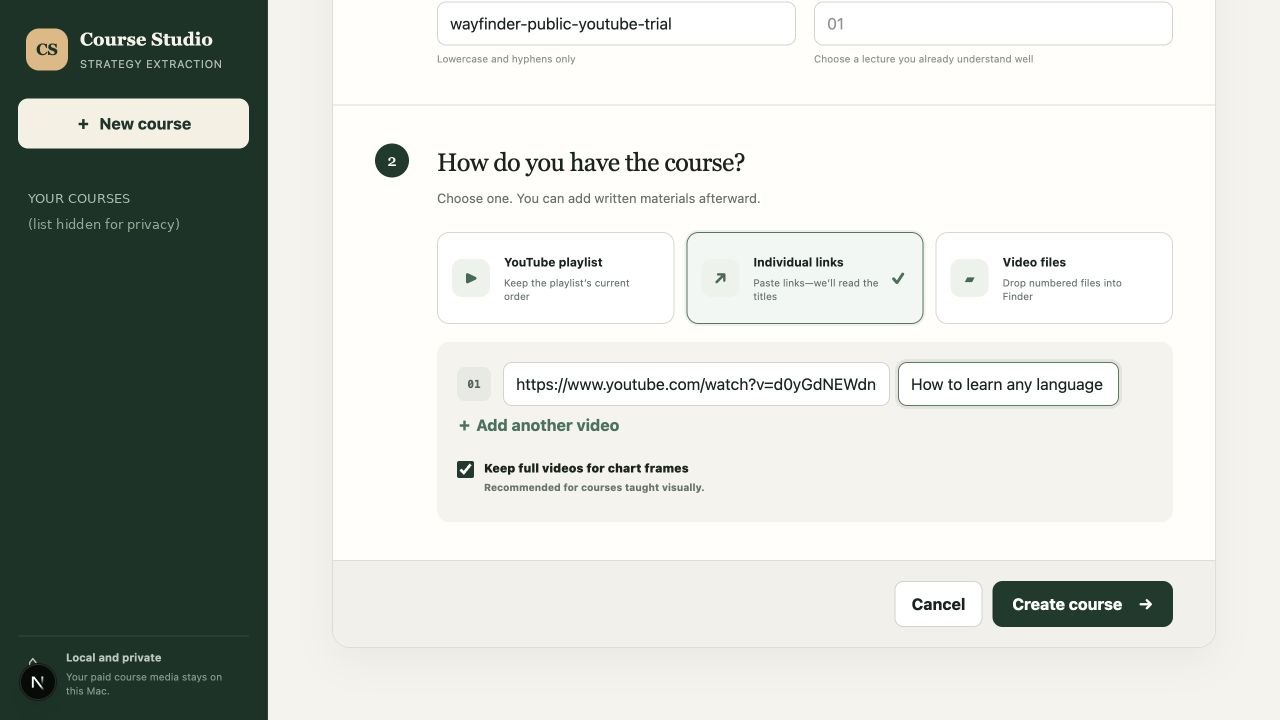
1What this shows: A public YouTube link goes in, and the tool reads the talk’s title by itself.
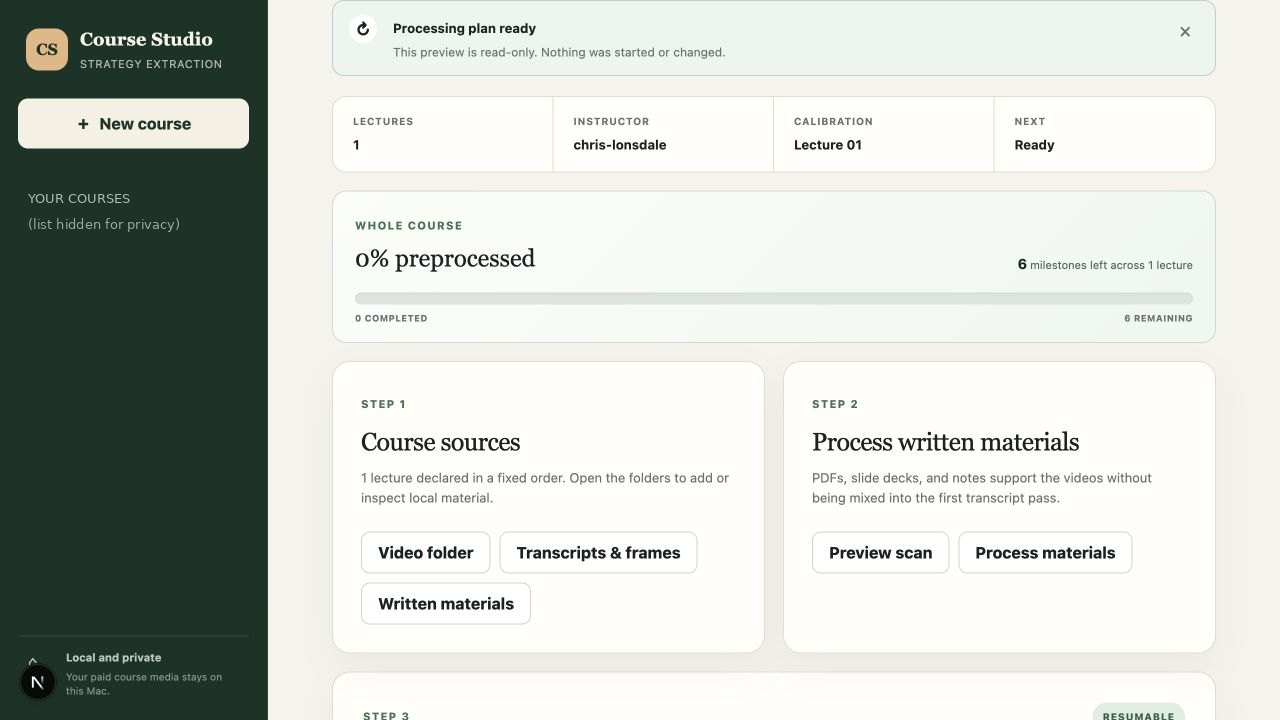
2What this shows: Before any heavy work, it shows the plan: one lecture, six steps, nothing started yet.
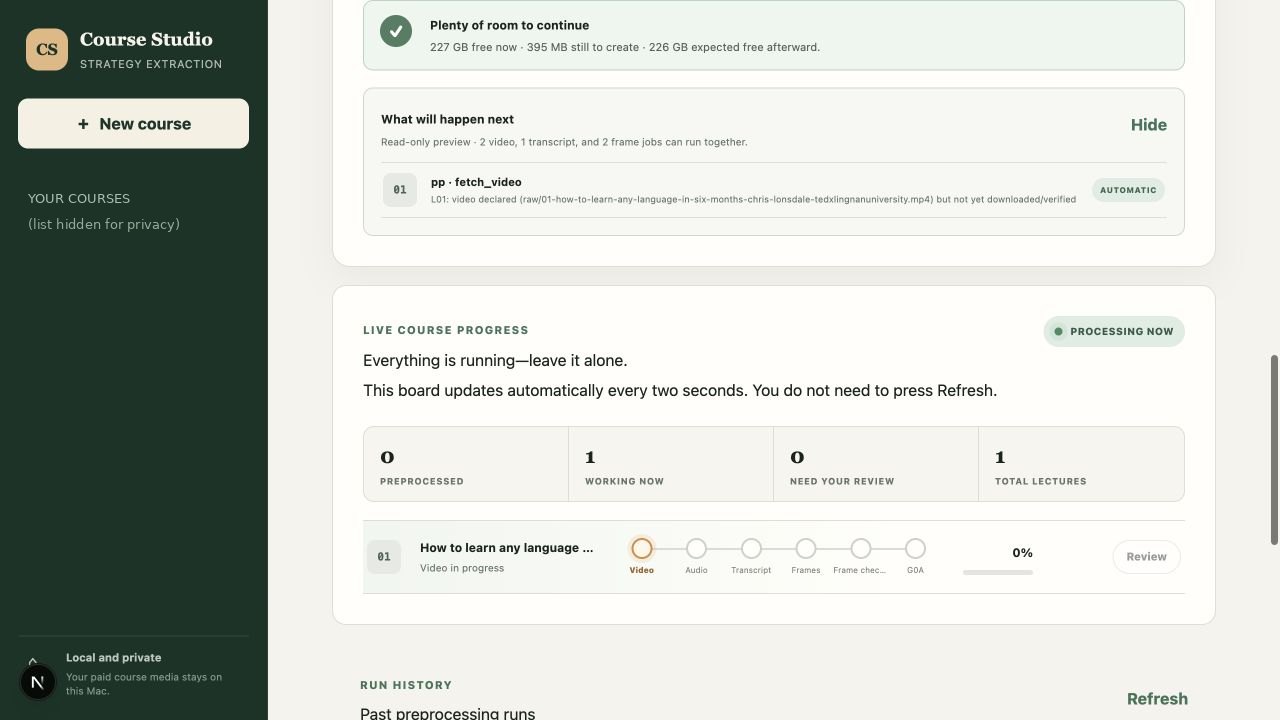
3What this shows: One click starts it. A live board shows the current step, after checking there’s room on disk.
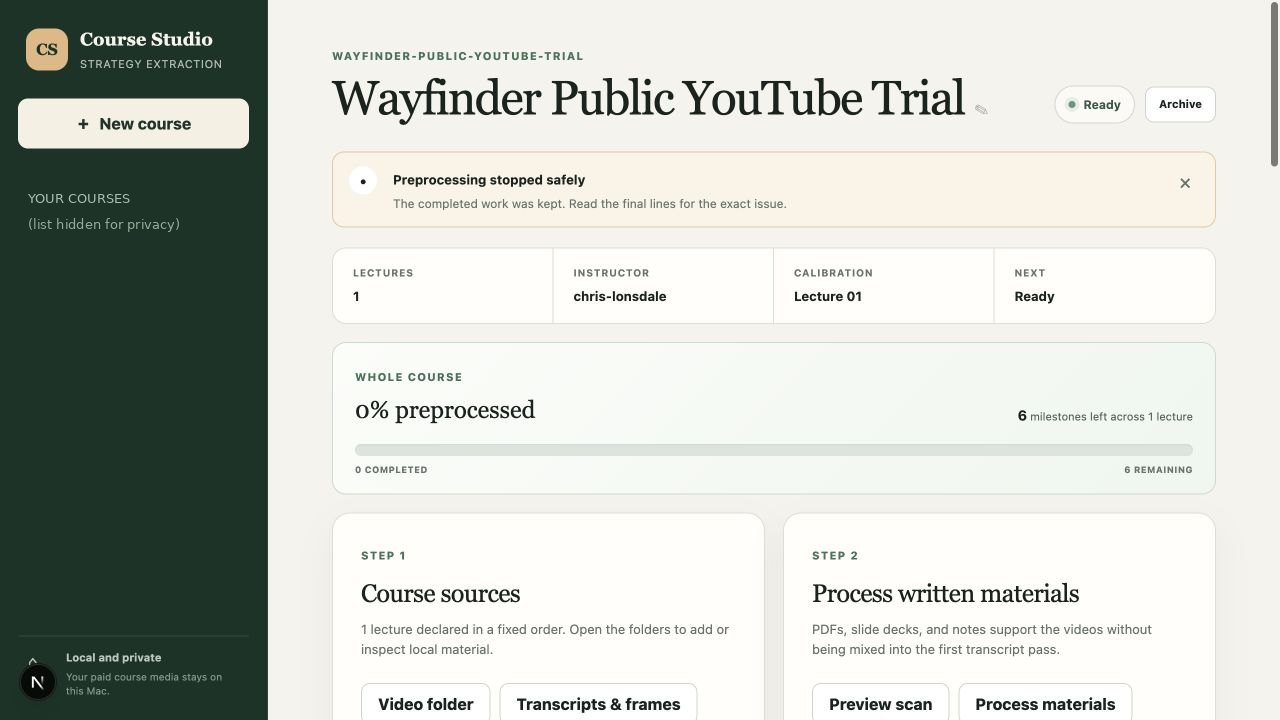
4What this shows: Before the repair: the download failed and the tool stopped safely without faking progress, but the screen still said “Ready”.
What went wrong. The download failed, and so did the retry. The tool stopped instead of faking progress, but the screen still said "Ready", and the error message was written for an engineer.
What happened next. Composer sent three agents to look into it from different angles. The agent meant to write the fix stopped with an error, and Composer recorded that run as failed (its timeline is on Composer's page). The fix was then made and checked separately. Downloads got sturdier, still without any sign-in, cookies or credentials, and the screen now tells a failed download from a finished one, and "waiting for your review" from a generic "Ready".
The same video, after the repair:
- Videodone
- Transcriptdone
- Framesdone
- A person reviews the frameswaiting, as designed
- 30 MBvideo downloaded and checked
- 153transcript cues
- 240frames pulled out
It stopped exactly where it should: at the step where a person checks the frames before anything is built on them.
Next: does seeing help?
"but even helping agents absorb knowledge faster could be something to research"
Steve
A planned test that hasn't run yet: the same model answers the same questions about video lessons, once with the words alone and once with the matching frames too. We'll count answers that are right and point to the right moment, and publish the result either way.
Where it stands
Local toolA local tool on Steve's computer. There's no public version or demo yet.
- Completed
- A local tool that turns video links or files into searchable, source-linked evidence: transcript passages and frames, each tied to its moment. It shows the plan before any heavy work starts, and picks up where it left off if it's interrupted.
- Tested
- After a repair, a public 18-minute talk went from link to transcript and 240 frames, then stopped for a person to review the frames, as designed. The fix passed 42 download tests and 155 backend tests.
- Planned
- A recorded demo of the whole journey from question to answer, and a public version.
- Not yet
- Whether frames help agents answer better than transcripts alone hasn't been tested. There's no screenshot of the repaired screen yet.
It's the video part of the Content Engine family.
Where it fits
- Build as a team
- Check each other’s work
- Keep the context
- Recover when something fails
The details
- Inputs: YouTube playlists, single links or numbered video files, plus PDFs, slide decks and notes. It previews disk space and the plan before it starts.
- Where the media lives: videos and full transcripts are stored on Steve's computer and aren't published. Public tests use freely available or made-up videos.
- Demo course: a built-in made-up course runs the whole tool offline, with no paid material.
- Failures are labeled by kind: the content, the tooling, or a source that can't be traced.
- The visitor test: the first run (26.0 s) and one retry (8.4 s) both failed at the download step, and the course stayed at 0%.
- After the repair: a 30.2 MB video downloaded and checked, 153 transcript cues and 240 frames. The run took 149.6 s and stopped, as designed, for a person to review the frames.
- Checks: 42 download tests and 155 backend tests passed, and the production build passed. Some older lint warnings in the interface remain; none came from this repair.
- Limit: a wider check on where every piece of evidence came from is still open. This test proves the download fix, not the whole tool.